
Appearance
Customers
Last reviewed: 15 July 2026 · Beat The Queue version: 2.6.0 (11 July 2026)
Search customer records and use customer profiles to understand order history, preferences, and activity.
Feature availability
The pages you see depend on your account features, connected equipment, and payment setup. Features marked Pro or described as account-controlled may not be included in every plan.
Customer list
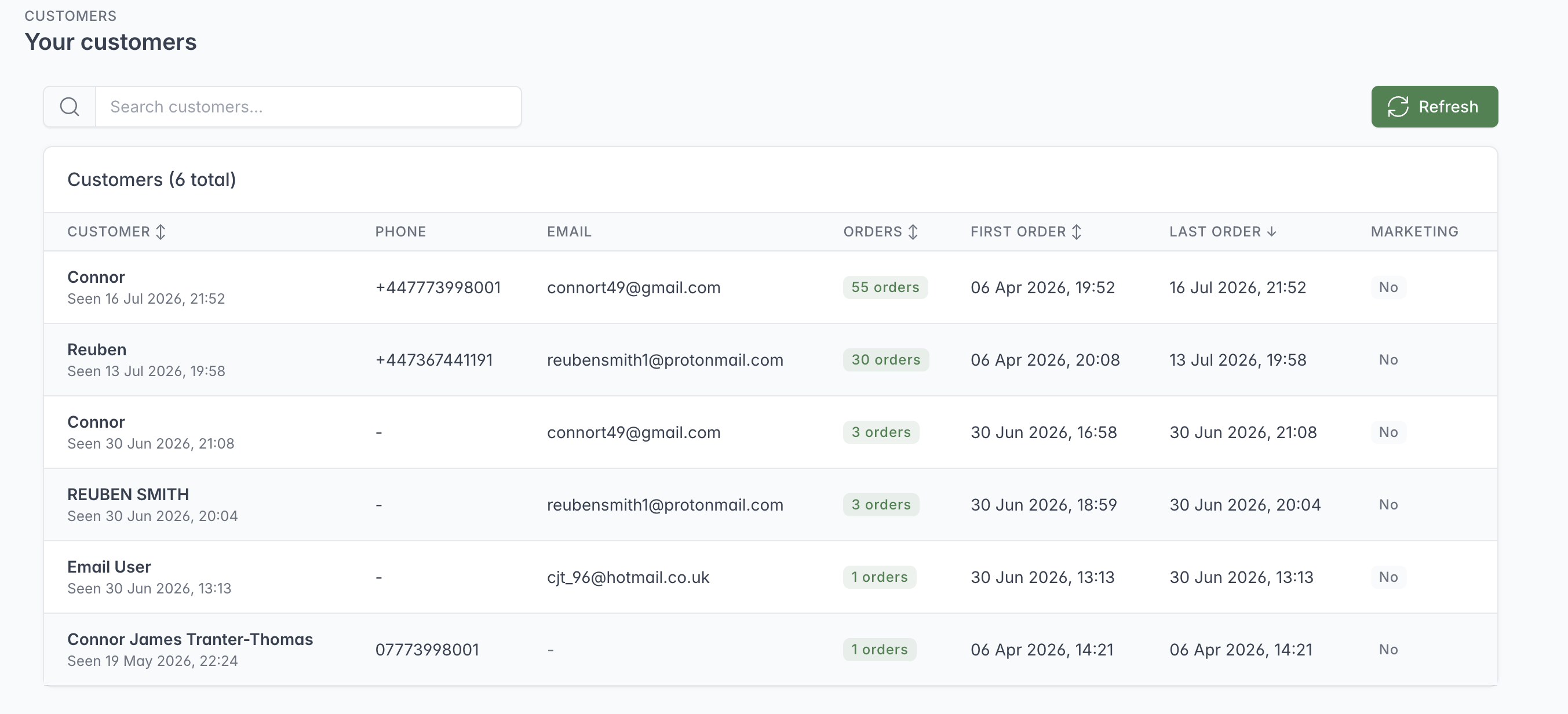
Search the customer list or sort it to find a customer and open their full ordering profile.
The Customers screen groups order activity into customer profiles. Staff can search customers and sort the list by order count, first order, or last order.
The list shows, where available:
- name;
- last-seen date;
- phone number;
- email address;
- number of orders;
- first and last order dates; and
- marketing opt-in status.
Customer profile and insights
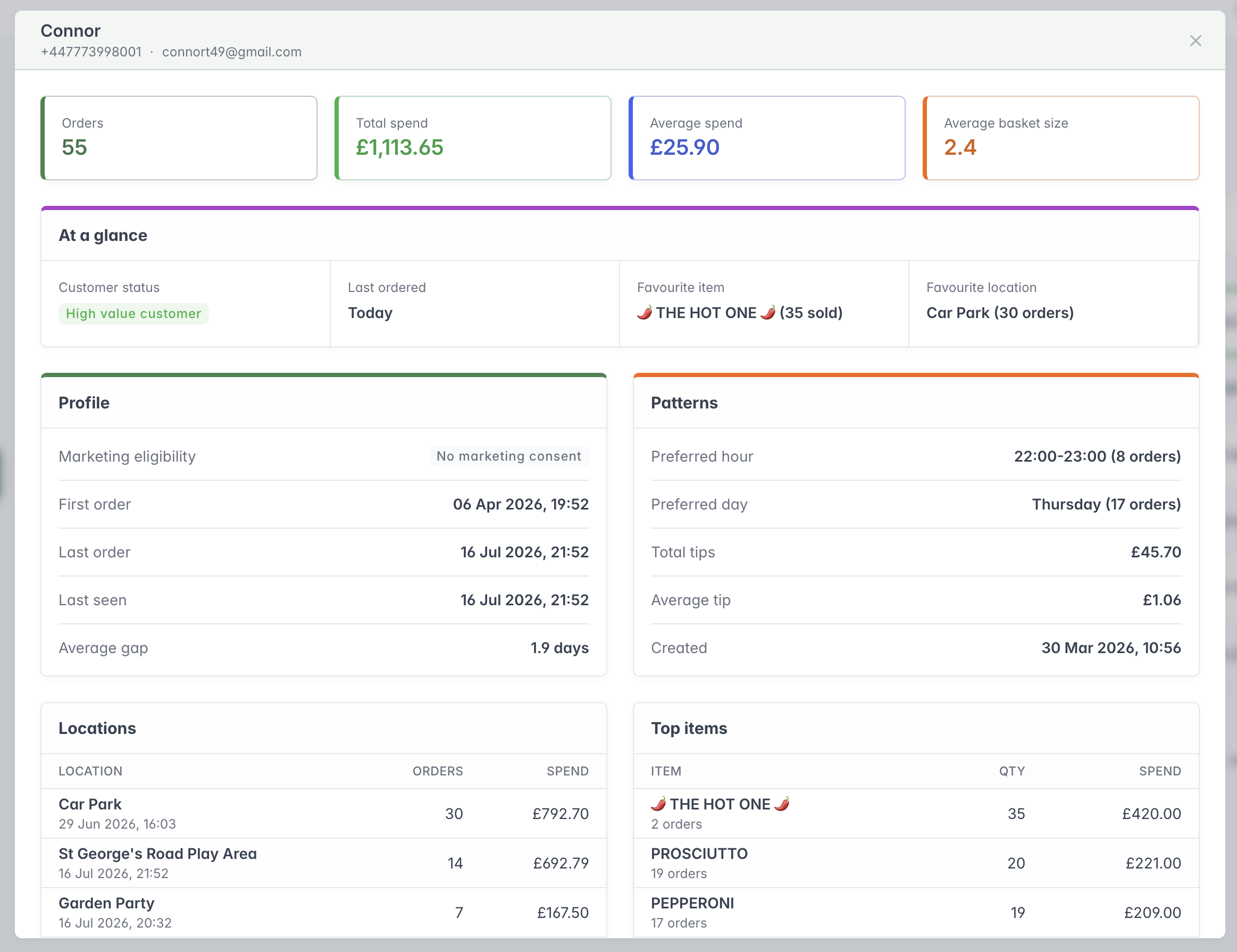
The customer profile combines contact details with order value, ordering habits, favourite Location and frequently purchased items.
Opening a customer shows:
- total orders and spend;
- average spend and basket size;
- an activity-based customer status;
- last order timing;
- favourite item and location;
- marketing eligibility;
- first order, last order, and last-seen dates;
- average gap between orders;
- preferred order hour and day;
- total and average tips;
- spend and order activity by location;
- top items; and
- up to ten recent orders.
The system assigns descriptive statuses from recorded activity, such as New customer, Regular customer, High value customer, Past customer, or Circumstantial customer. These are operational hints, not guarantees of future behaviour.