
Appearance
QR codes and short links
Last reviewed: 15 July 2026 · Beat The Queue version: 2.6.0 (11 July 2026)
Create reusable QR destinations and short links for your locations.
Feature availability
The pages you see depend on your account features. Contact your account administrator or Beat The Queue support if a tool described here is not visible.
Event QR URLs
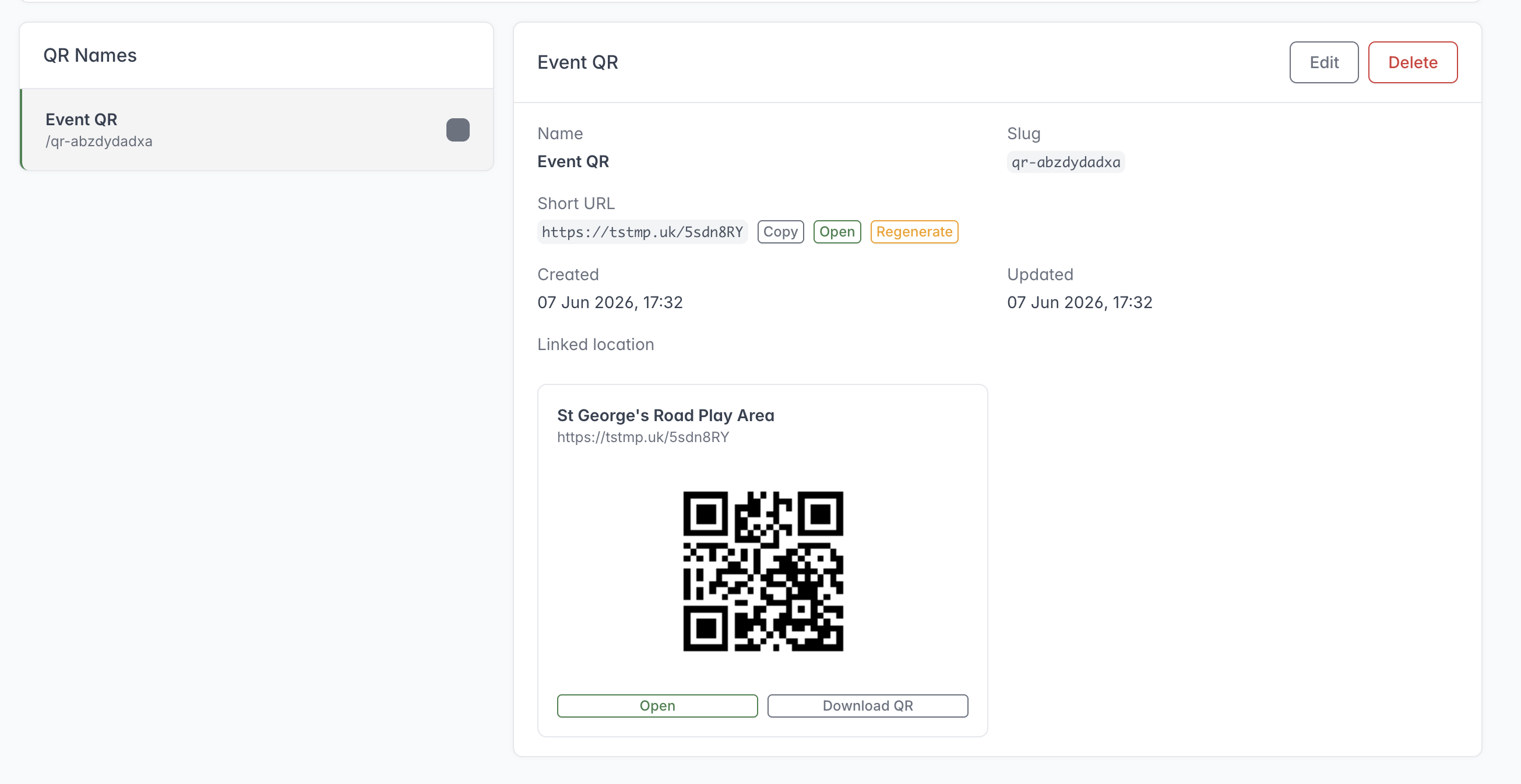
Select a saved QR name to copy or open its short URL, change its linked Location, or download the QR code.
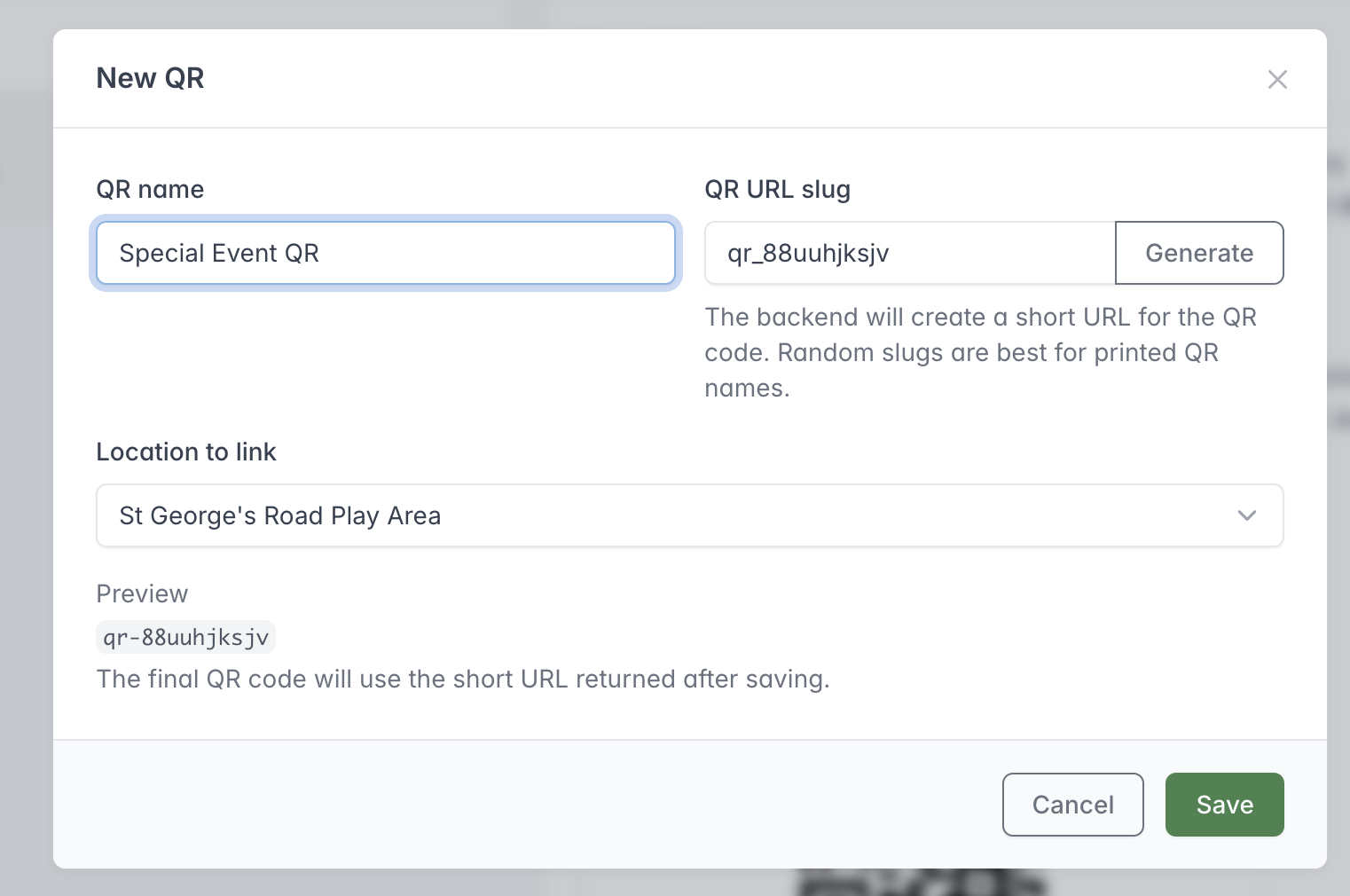
Give the QR code a recognisable internal name, generate its URL slug and select the Location it should open.
Event QR URLs are permanent, printable short links tied to a location. Despite the screen title QR Names, they can be used for menus, collection points, posters, or events.
Create a staff-friendly name, keep or regenerate the random URL slug, and choose a location. Beat The Queue creates the short URL used by the generated QR code.
The location can be changed later without reprinting the QR code. Regenerating the short URL is different: existing QR codes using the old URL may stop working, so only regenerate when you intend to replace printed material.
Before printing a large batch:
- Scan a sample QR code with a normal phone camera.
- Confirm it opens the correct account and location.
- Place a test order if the environment permits.
- Keep a record of the printed QR name and its intended location.
Short Links
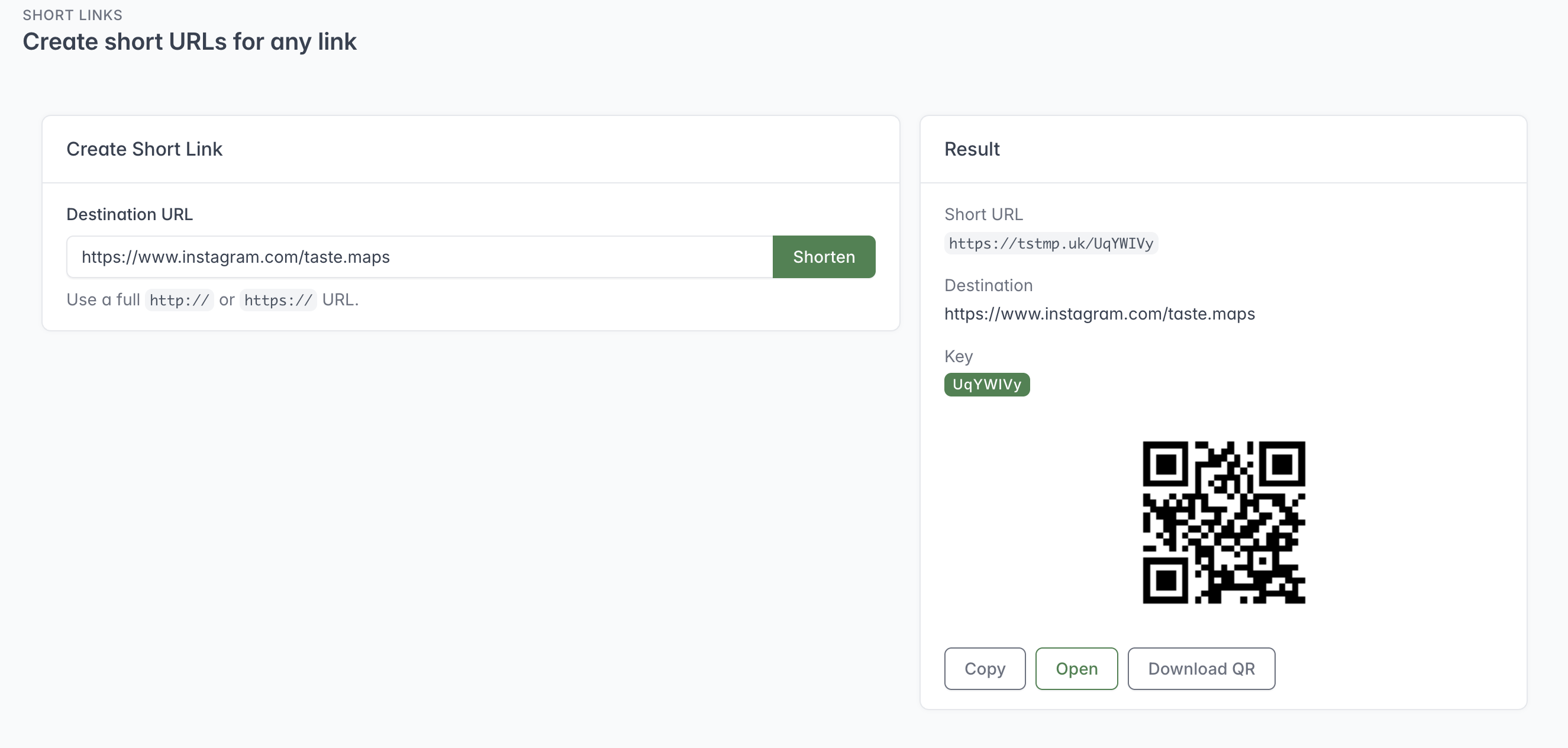
After shortening a destination, copy or open the new URL or download its QR code for printed material.
Short Links creates a short URL and QR code for any full http:// or https:// destination. After creation, staff can copy or open the short URL and download the QR image.
The screen creates links but does not show a management list for editing or deleting previously created general short links. Keep a separate record of the destination and purpose if the link will be used long term.