
Appearance
Orders, receipts, and reporting
Last reviewed: 15 July 2026 · Beat The Queue version: 2.6.0 (11 July 2026)
Find historical orders, print VAT receipts, and export business and accounting reports.
Feature availability
The pages you see depend on your account features, connected equipment, and payment setup. Features marked Pro or described as account-controlled may not be included in every plan.
All Orders
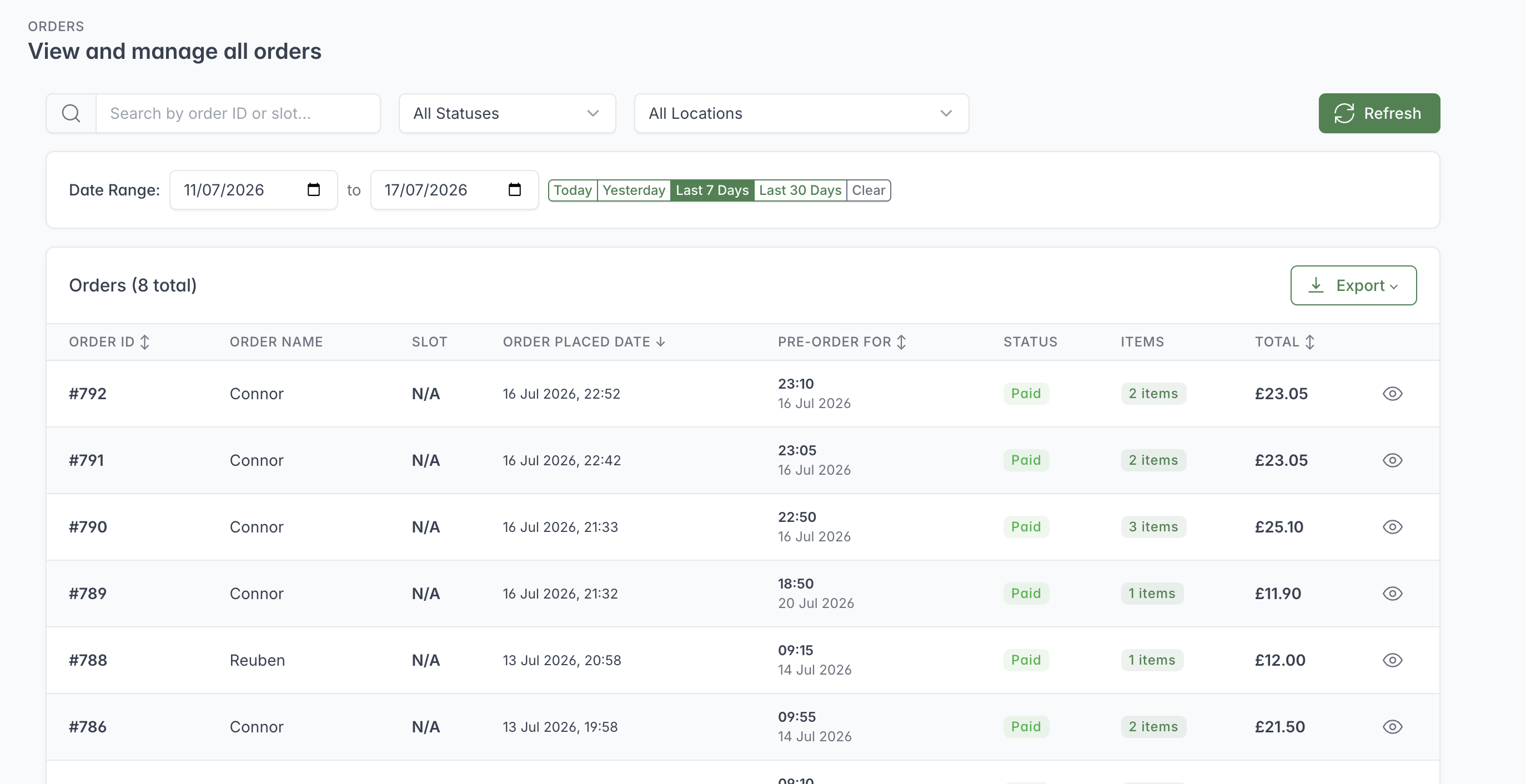
Use the filters to narrow the order history, then open an order from its row or export the filtered information.
All Orders is the searchable order history. Staff can:
- search by order number, customer name, phone number, or email;
- filter by payment status;
- filter by location;
- use Today, Yesterday, Last 7 Days, and Last 30 Days shortcuts;
- enter a custom start and end date;
- sort and page through the results; and
- open a full order detail view.
Scheduled collection times are displayed using the current user's local time zone.
VAT receipts
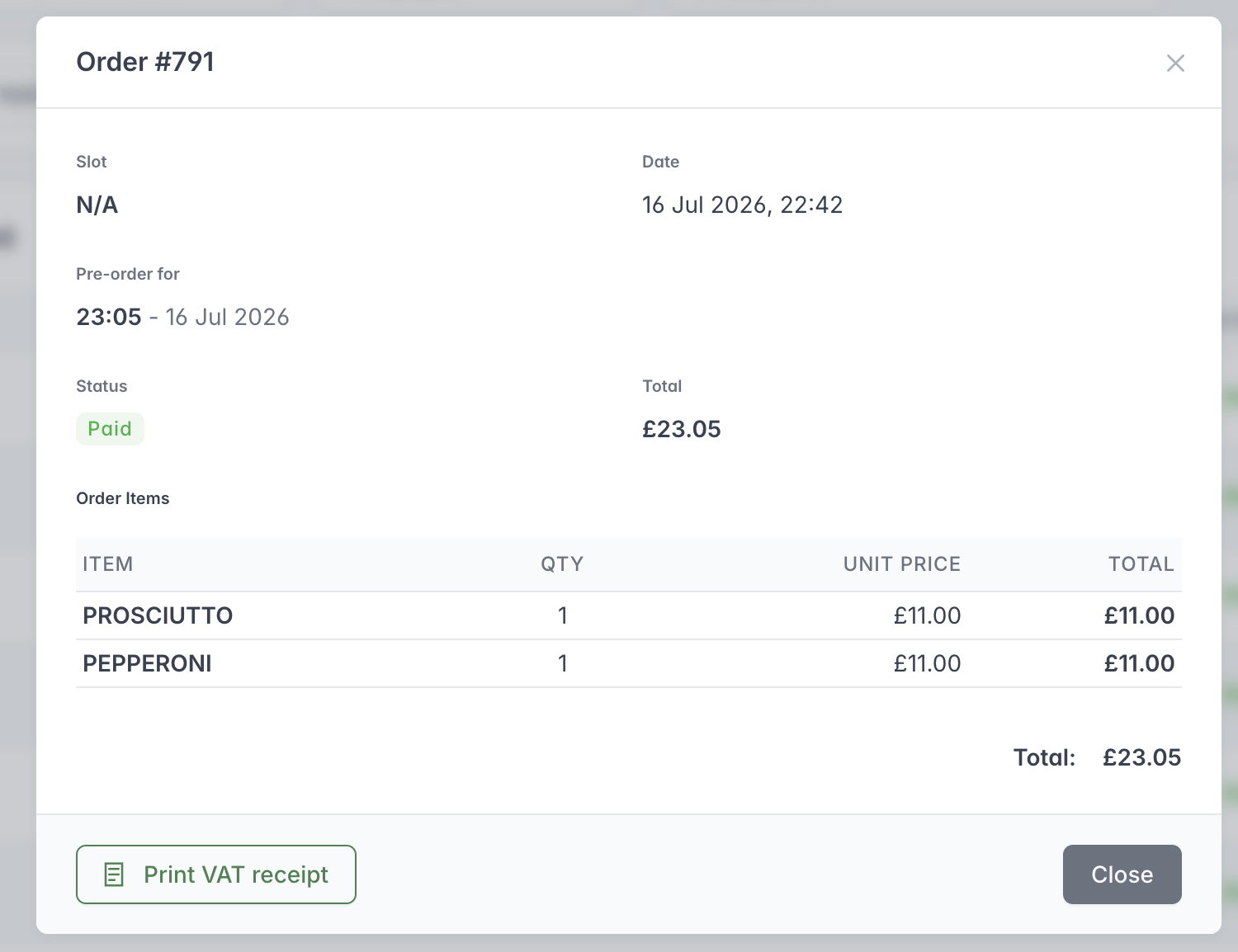
Open an order to review its payment status and item totals or print a VAT receipt.
The order history can produce a VAT receipt. The operator is prompted for the customer or business name before printing. Account details, VAT number, item tax settings, and tax-rate mappings should be checked before relying on the receipt for accounting purposes.
Reports
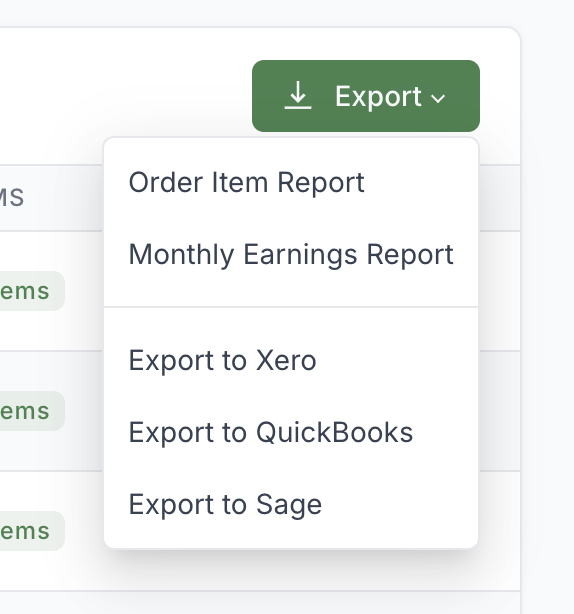
Choose the export that matches the reporting or accounting task you need to complete.
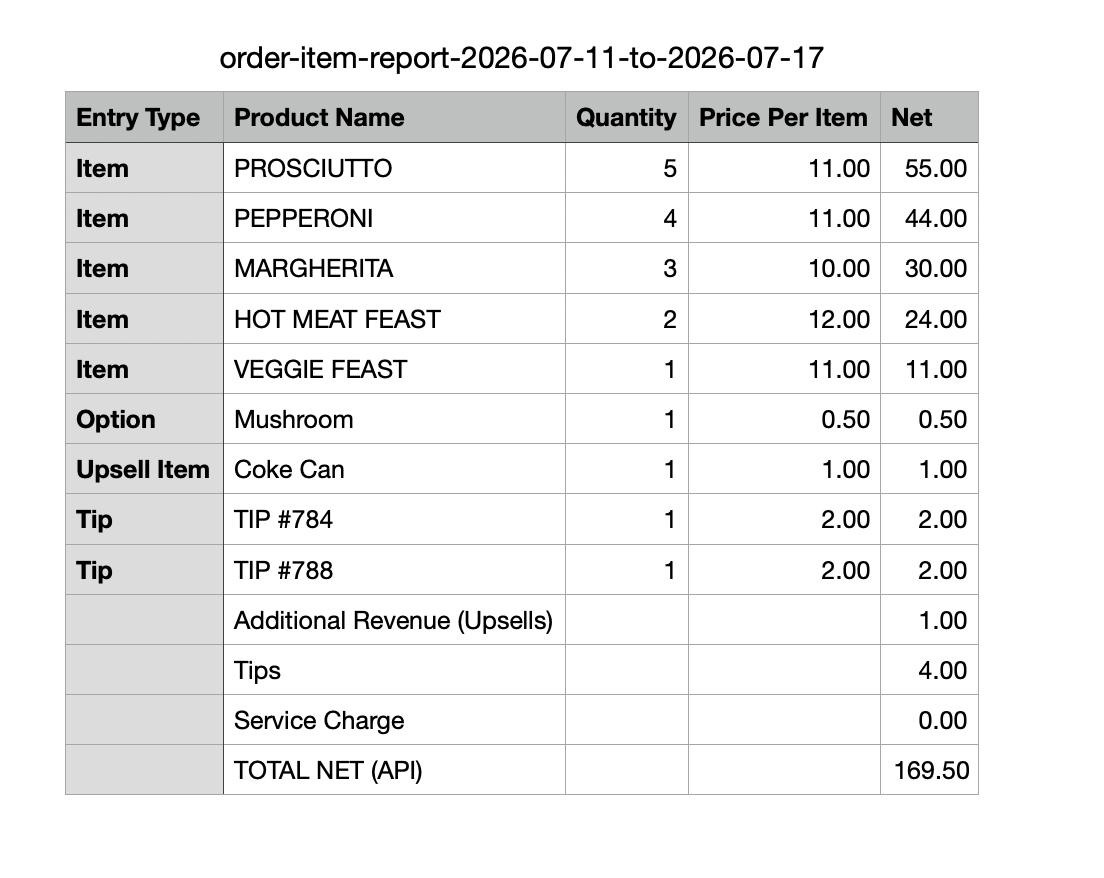
The Order Item Report summarises what was sold during the selected date range, including options, upsells, tips and service charges.
Live Orders provides a report for today and a custom date-range report. The on-screen report includes order counts, gross revenue, net revenue, VAT, fees, tips, refunds, and order-level detail where supplied by the reporting service. A monthly earnings view summarises months with orders.
The Orders screen provides the fuller export set:
- default order CSV;
- order-item report;
- monthly earnings report;
- Xero export;
- QuickBooks export; and
- Sage export.
Exports can be limited by date and location. Configure Accounting Settings before using platform-specific files, and check the first imported file in the accounting package before making it part of a regular process.
The order-item report distinguishes normal products, upsells, tips, and service charges. Monthly reporting includes additional revenue and fee comparisons where that information is returned by the reporting service.